Don't Run Your Harness by Feel: Why I Built Harness-Monitor
Harness-Monitor isn't a token counter. I built it to see my harness state at a glance — where time goes, whether configs drifted, whether I'm running it well.
Codex at home, Claude Code at work. Already built something similar at work. Named it Harness-Monitor, not codex-monitor — other harnesses plug in next.
What I wanted wasn't "how many tokens today." Which projects eat the most, how sessions stretch, whether skill or memory configs went stale. Token counts are a result, not the point.
Why build this separately
Simple. Inconvenience. Sessions, memory, skills, MCP, hooks, token events — all scattered across local files. Opening them one by one is tedious. Understanding a running harness requires seeing many things at once, and no single screen showed them.
Less a single-purpose tool, more a dashboard for continuous inspection. Run a harness long enough — waste shrinks, efficiency rises, structure tightens. I wanted that loop.
The token page comes first
Most visited screen: token trends by day, then per-project usage and model distribution. Which days ran heavy, which ran oddly light, which project absorbs time right now — all visible here.
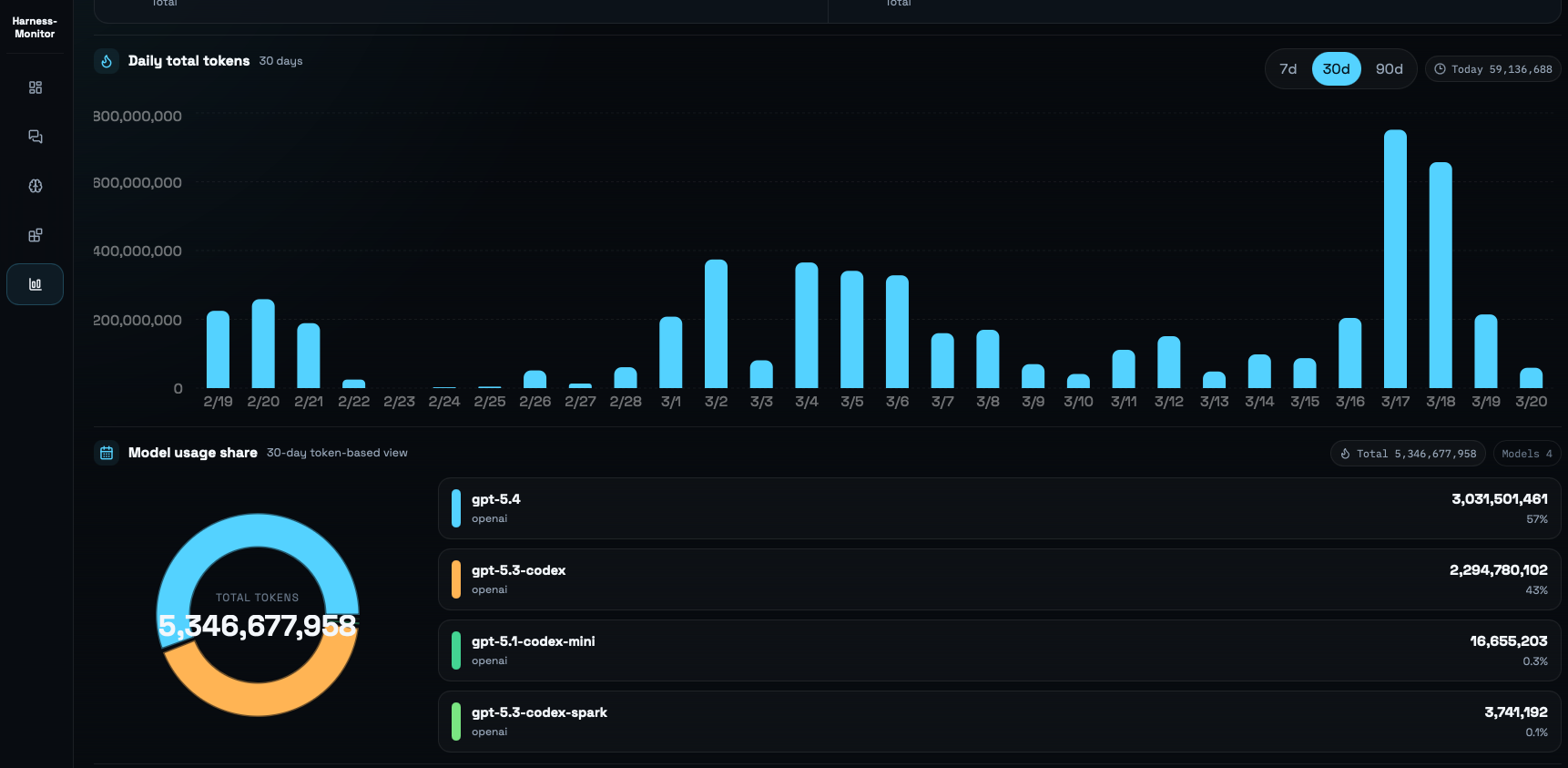
More emotional than expected. Some days feel productive; others draw "that's all?" Looks like numbers. Really self-auditing how hard I push the harness.
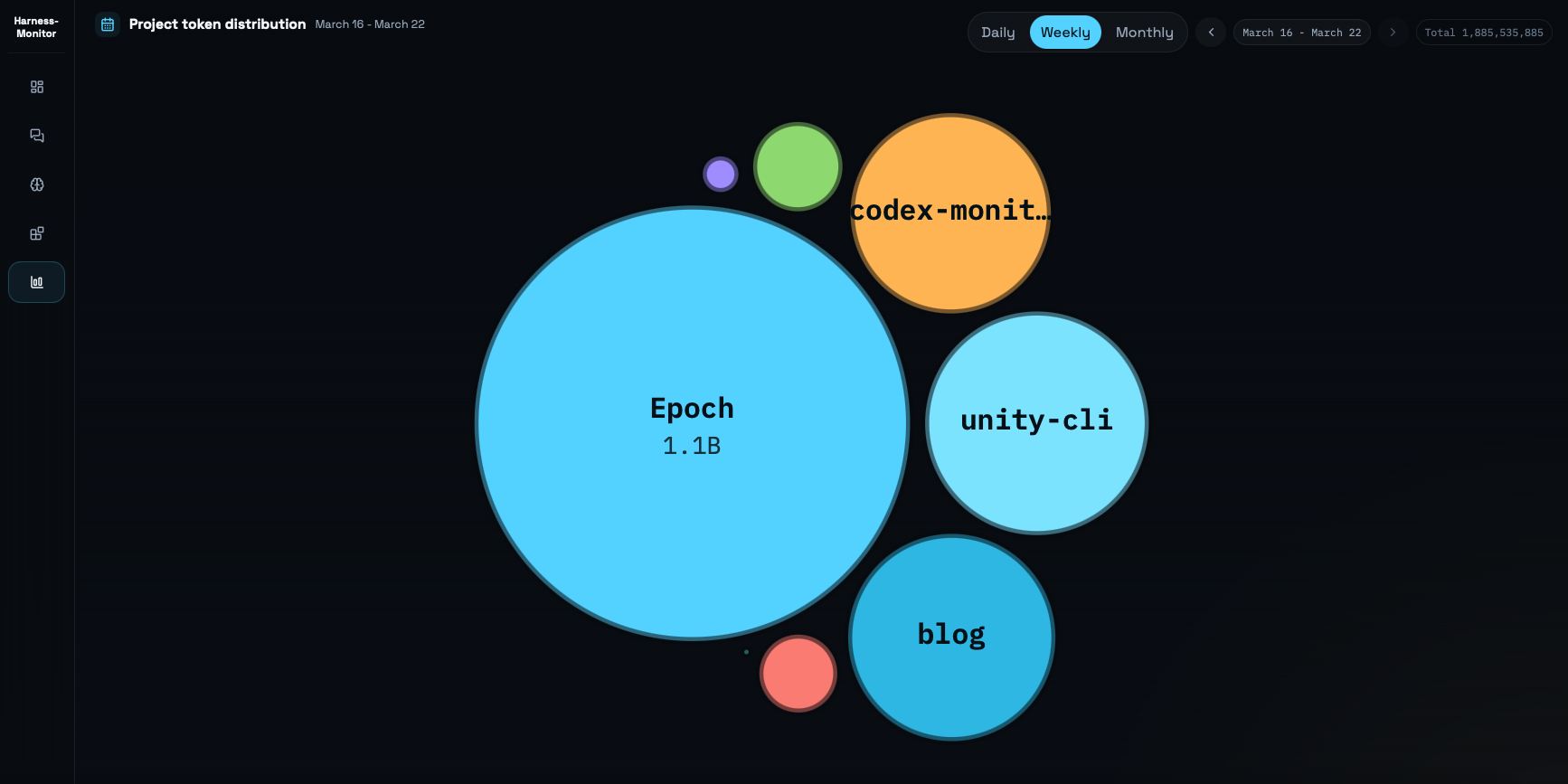
Per-project breakdown matters too. I think I'm splitting time evenly. Numbers show where it actually goes.
Sessions and config need the same visibility
Tokens alone don't explain the harness. The sessions page and Integrations page are equally core.
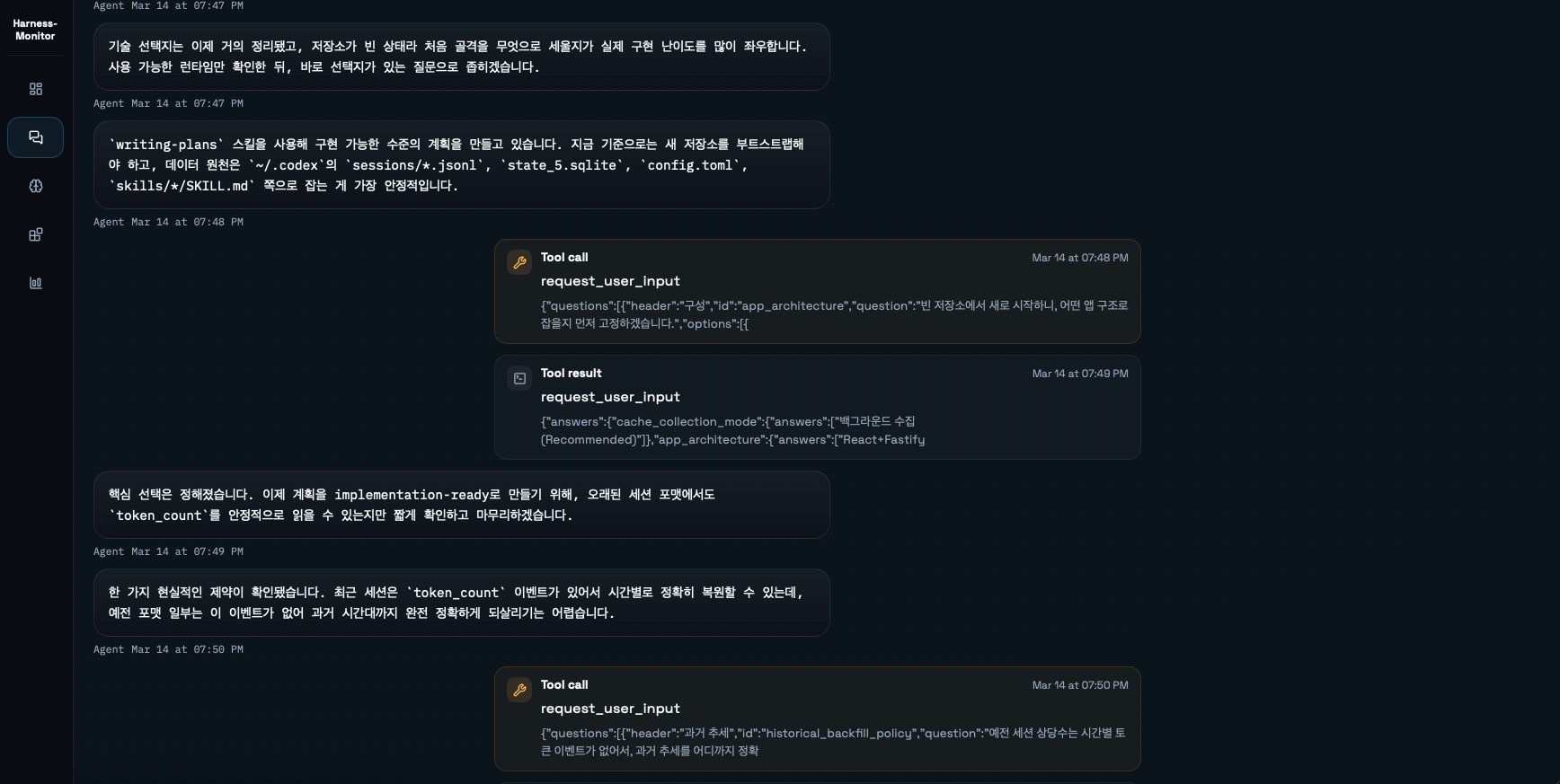
Sessions let me review past conversations by project without digging through local files. Skimming old sessions shows how I split work and how I ran agents on a given project.
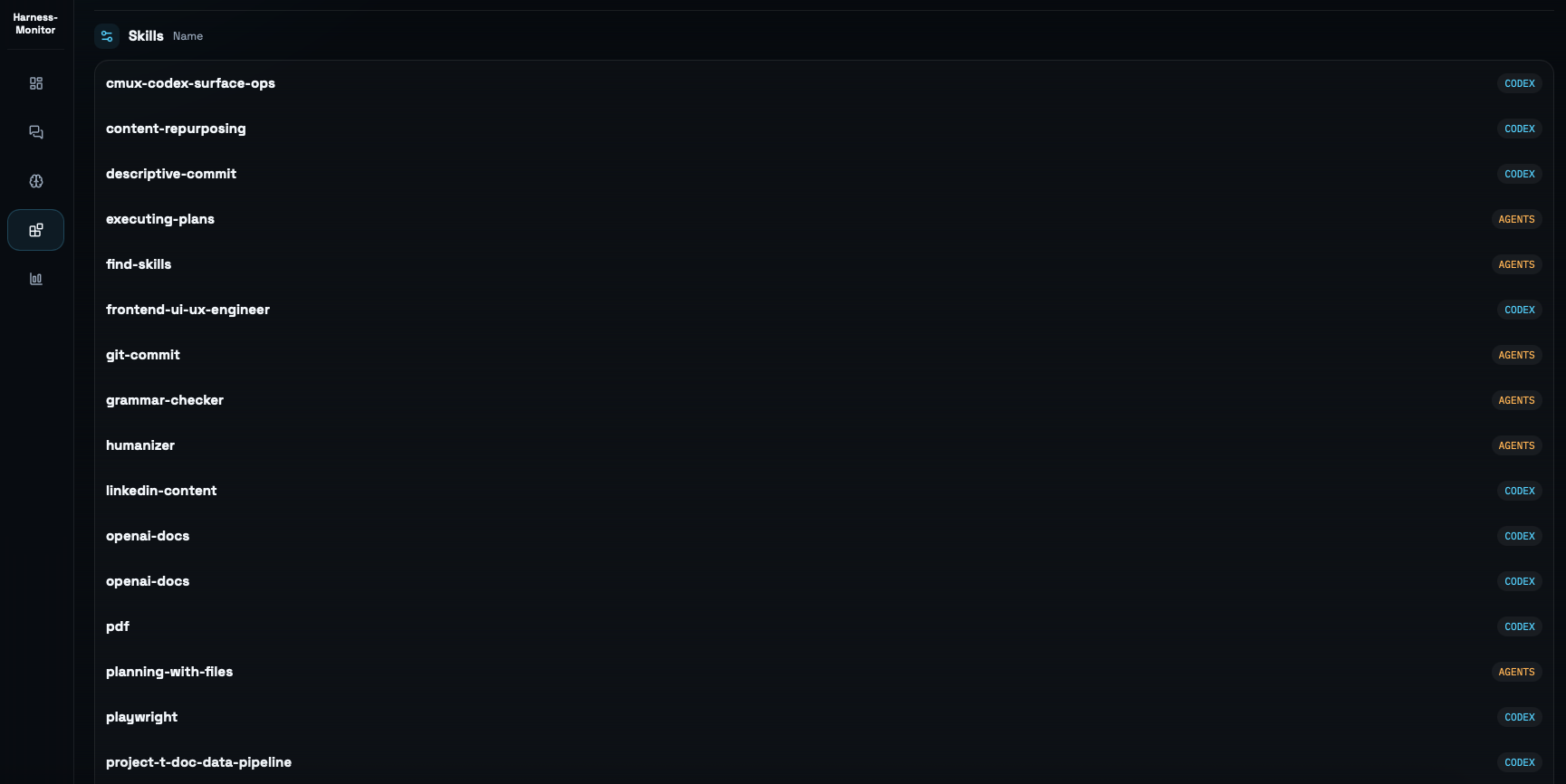
Integrations is more direct. MCP, hooks, and skill status on one screen. I've caught misconfigured settings here — a skill locked to agent-only mode that I hadn't noticed. Using the harness harder doesn't fix that. You have to look.
Building it taught me things
Building it forced me into local folder structures — how sessions store, how skills and memory persist as files, how token_count events accumulate.
Most people try to use Codex or Claude better without looking at how the harness runs underneath. Reading internals led to mistakes too, but hands-on beats someone else's summary.
Codex and Claude Code show directional differences from this angle. My sense is Codex is converging toward Claude Code's feature set. But Codex still leans on a main agent with subagents as efficiency support, while Claude pushes role-specific subagents more aggressively. What matters isn't the name — it's what tools and skills each agent can access.
What's next
Currently Codex-only. Claude Code support is in progress. Once that lands, the name Harness-Monitor fits naturally.
A few things I'm considering:
- Session sharing — letting others see conversation context
- Token trend sharing — comparison is more useful than solo tracking
- In-dashboard memory and skill editing
Right now it's a solo tool. No promotion, no rush to show it off. But projects like this matter in this transitional period. Thinking about "how do I run my harness well" — that time investment creates real separation.
The clearest thing I confirmed: the harness isn't set-and-forget. It's something you track and monitor continuously.